
Understand the sequence
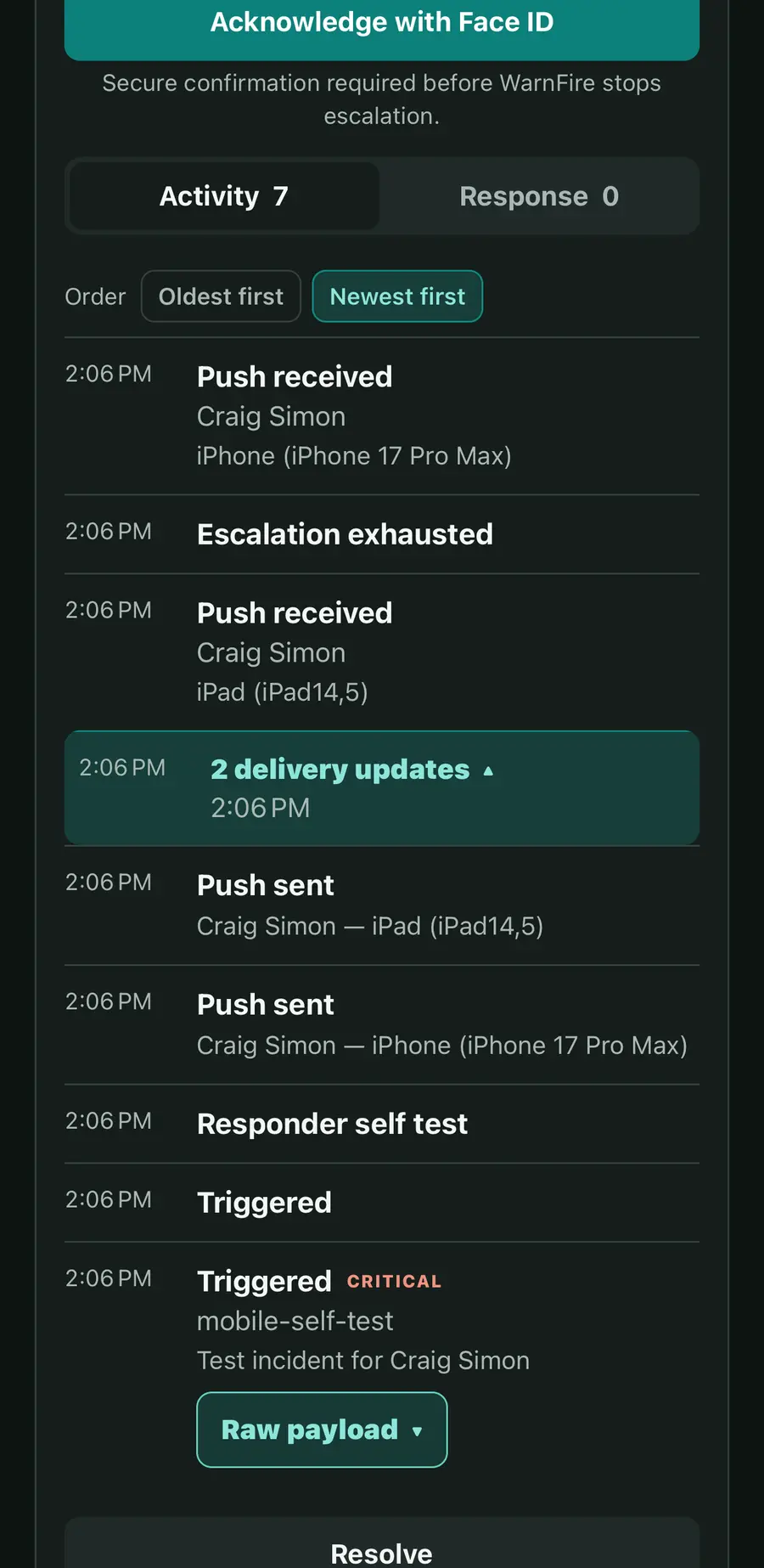
Inspect the incident's recorded events and notification attempts. Available delivery evidence varies by channel and device; a provider acceptance and a notification open remain distinct.
Use WarnFire on iPhone, iPad, and Android to see what's happening, take ownership, coordinate help, and manage your on-call commitments.


Review the summary, source details, current severity, and timestamped activity. Acknowledge, add a note, or resolve without reconstructing the response from separate notifications.
Inspect the incident's recorded events and notification attempts. Available delivery evidence varies by channel and device; a provider acceptance and a notification open remain distinct.
Acknowledgement records ownership. The policy decides whether that acknowledgement stops escalation or whether escalation continues until resolution.
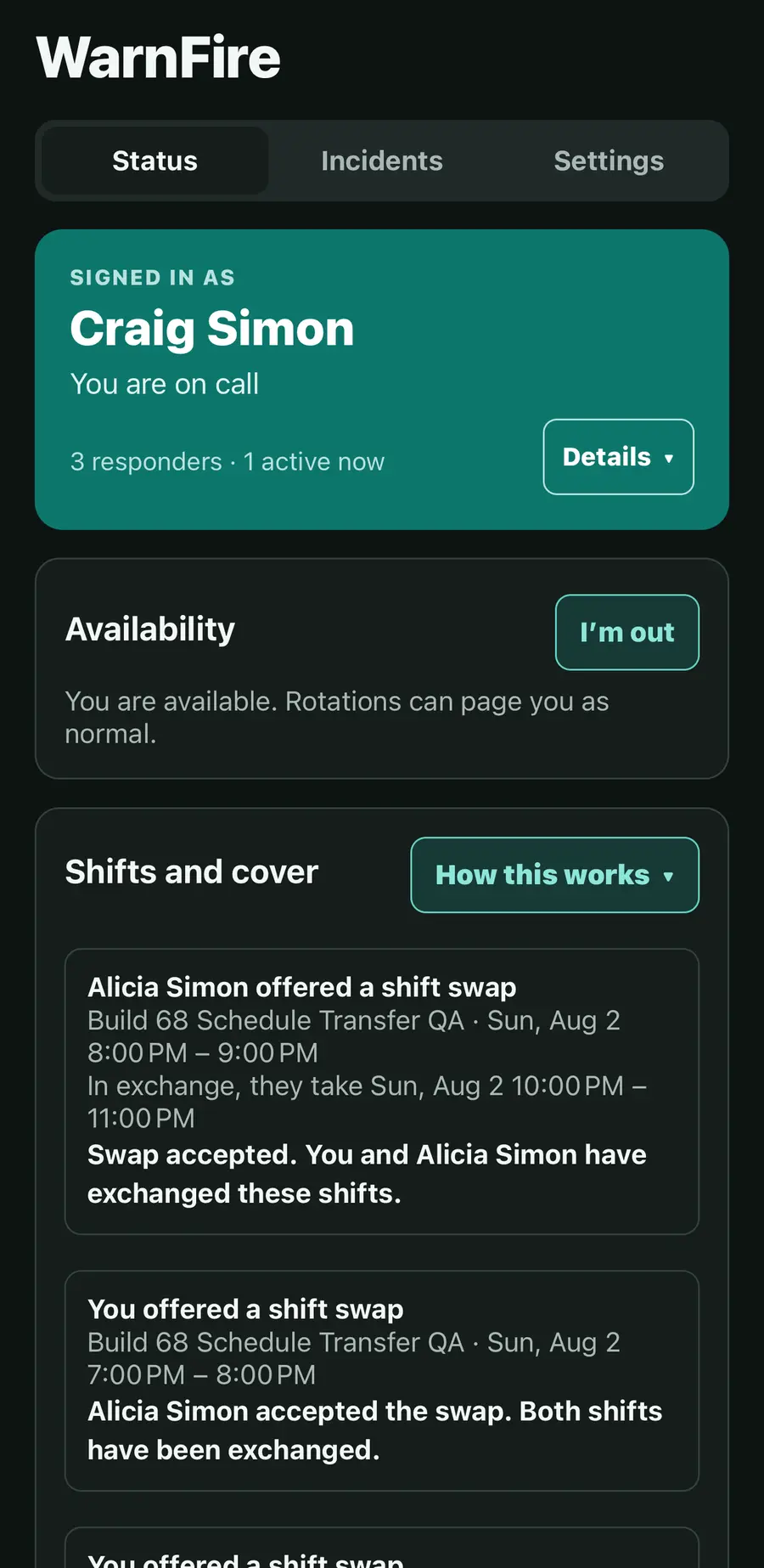
See current on-call coverage, the schedule calendar, and upcoming shifts. Review handoffs and arrange an exception without changing the repeating rotation.
Ask an eligible responder to cover a shift or propose a swap. Accepted requests create bounded schedule overrides.
Mark time out and review the resulting coverage. Keep the schedule accurate before the next incident arrives.
Request assistance from a person or team, explain the role you need, and track whether they can join now, join later, or decline. Open the incident's selected Slack or Zoom war room from its response view.
The app is free to download and use with a WarnFire plan. Sign in to an existing workspace and allow notifications so that device can receive pages. iPhone and iPad require iOS 16.4 or later; Android is available through Google Play.
Review privacy choicesConfirm notification permission, current schedule coverage, selected channels, and the destination registered to your account.
Use Settings → Delete account to start the permanent account-deletion flow. Review privacy choices for what is removed and what the workspace retains.
WarnFire job-monitoring clients connect scheduled commands and background services to Heartbeats. Download the signed platform packages from the console, where the version and checksum are listed.
Start a workspace, connect a service, and make the next signal reach its owner.